Saturday, 16 February 2013

Social Gaming : Friends Who Play Together, Stay Together


I just posted my 100 win in Scrabble which I play frequently on my mobile phone. It was a fun game as always, but what made it particularly noteworthy was the fact that I was playing with a friend who is halfway around the world in India. Like many of you, I remain in touch with several of my friends using Facebook which has been instrumental in renewing old connections and long lost friendships. With over one billion users, Facebook has become the predominant way in which many people keep in touch with friends, acquaintances and coworkers. Facebook has had one other remarkable effect; it has turbo charged a trend that was already gaining much momentum over the last decade: social gameplay. This is the third, and in my opinion, the most important secular force that is driving the massive growth in videogaming.
Usually when you hear the term “social gaming” you think of it meaning just games on Facebook, but that’s not the case. Now, you can connect with your friends and play with or against them on every gaming platform. Games like Madden, FIFA and Need for Speed all feature co-op and challenge modes. At EA, nearly every game that is under development is being built to enable rich experiences in social connected play.
Videogames which were originally built predominantly for single user play have rapidly evolved over the last several years to incorporate many capabilities that enable co-op play and gaming with friends. There have always been specific games that enabled multi-user online play in the past, but the recent ubiquity of compute and graphic power in so many new devices, the associated pervasiveness of broadband connectivity and the large global footprint for gaming has been profoundly impacted by the ability to engage in social play. We now have algorithms that enable logical matchmaking inside games, multithreaded game engines, sophisticated rendering systems and web services that power secure connections enabling chat and other real time interactions. These have been key technologies driving the growth. To embrace these trends, companies have to rethink the fundamental design of the core software and invest in underlying platform technologies. The technical challenges are non-trivial to enable synchronous and asynchronous online connected experiences and bridge diverse social networks across all device types. It does take a concerted effort in every part of the organization to make this happen. But the results are well worth it.
The impact has been dramatic. Not only is gaming more fun and immersive, the consumer engagement in these connected social play modes is much deeper than in other modes. We are starting to see the impact of social connectivity on the frequency of play, session lengths and the most important factor of all, which is consumer satisfaction. Playing a game with friends or like-minded community adds a whole new level of immersiveness in the experience that a single user mode against the pre-programmed AI logic of a machine can’t substitute.
Every software product or service can benefit from the same secular trends that are catalyzing the video game industry. Transitioning products that in the past were limited to local networks or single-user mode, can benefit tremendously by the addition of social and community features. Whether it is something as simple as an “Ask the Community” feature that have shown up in products like Turbo Tax or user-generated content that powers the stickiness of sites like Amazon and Yelp. Every organization that builds software should be asking itself the fundamental questions of how they can serve their consumers better by embracing technology enhancements, globalization and social functions.
I’d love to hear your thoughts on these three trends I’ve covered and hear your favorite game to play against your friends.

If You Like Accounting and TV, Keep Reading


You’re reading AICPA Insights, so I can safely assume that you’re interested in accounting. And since I’m making assumptions, I’m going to assume that you like to watch TV (hey - all the cool kids are doing it). And since you’ve got an inquisitive mind, I bet you wonder how networks decide which shows get made and which shows on TV "make it." Maybe, you got a little fix watching the People’s Choice Awards last month. And since then, you’ve been twiddling your thumbs as you count down the days until the Emmys. Well keep reading, because I have just the thing for you.
Let me set the scene…The TV industry is booming and each network is in search of “the next big thing.” At the same time, accounting is in the spotlight as one of the fastest growing professions. Put the two together, and the network executives have decided this is a profession that should play a role in their next pilot. That’s right, it’s the AICPA’s Project Innovation: Competition of Creative Excellence.
“The AICPA decided to challenge high school students to create a potential TV pilot, while offering a fun and exciting way to learn about accounting and the CPA profession,” said Heather L. Bunning, AICPA Sr. Manager, High School and Community College Initiatives.
The competition recently moved into the public voting period, which runs until February 27. That means you (you!) can check out the finalists’ videos and cast a vote for your favorite.
“Our judges have selected the best pilots and since building a fan base for their show is a must, the online vote will factor into the final decision,” said Bunning.
The finalists have been carefully selected based on their proposal, which provided an overview of the show, including a production budget and the script they used to pitch the network – a panel of judges appointed by the AICPA. The finalists then received a video camera to bring their script to life as a three-minute preview of their pilot.

The last step of the competition will include a live presentation to a final round judge, who plays a key decision maker at the network. This will give teams one last chance to explain why their show will be a smash hit, and why they should be crowned the winners.
With a total of $15,000 in scholarships for students and grant money for their schools going to the top three teams, the stakes are high – so check out Start Here, Go Places. and vote for the show you would most like to see spotlighting the accounting and CPA profession. Winners will be announced in mid-March.

Monday, 11 February 2013

The Microsoft Surface Pro Proves That The PC Is Back

scaledwm.IMG_1669


I come bearing glad tidings. After decades of OEM malaise, a constant parroting of the speeds and feeds mantra, and an aesthetic that was formulated in the back room of a dingy Staples office supply store, the PC is really back.
In short, the Surface Pro is so good that it could drive Windows 8 adoption with enough force to make people reconsider Microsoft’s odd new OS. Microsoft bet the farm on a new paradigm and it needs a champion. Surface Pro is the right hardware for the job.
I haven’t been a Surface apologist and, although I’ve seen Windows 8 as more of a success than a failure, no hardware has truly made me see the value of the platform until this model Surface. But enough effusive praise, let’s look at the hardware.
Pro Vs RT
Back in November I noted that Microsoft launched the Surface RT long before the platform was stable or even interesting. The RT, as you’ll remember, runs a quad-core Cortex-A9 ARM chip clocked at 1.3 GHz. It’s not awful, but it’s not great, either.
This model attempts to right those wrongs by turning the Surface from a “tablet” device into a what essentially amounts to a Windows laptop.
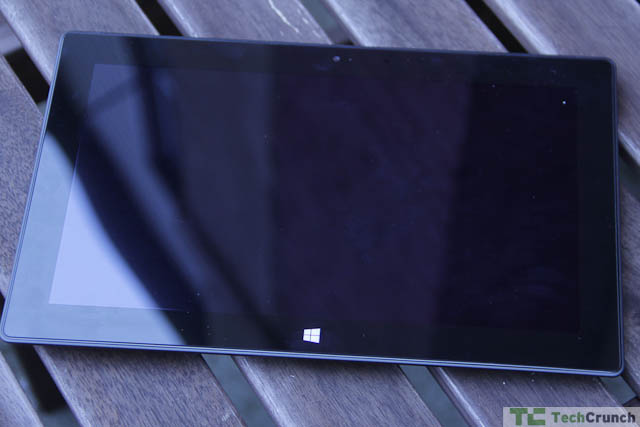
scaledwm.IMG_1663This is an important distinction. The Surface isn’t supposed to be a tablet you drop on the coffee table and use when you want to look up something on IMDB. It’s a powerful computer with enough speed and graphics chops to give any other manufacturer’s laptop a run for its money. Previous Windows tablets have been hampered by a strange and messy amalgam of interfaces, pen input, and a focus on the slate form factor. This device, on the other hand, is a real hybrid – a laptop that is also a tablet that is also a media consumption device. You will use it just like you use a laptop whereas, by definition, the hobbled RT version of the Surface is meant to be used as a tablet.

Hardware
In examining the Surface Pro we must remember that, physically, the Pro is essentially the same device as the Surface RT. It is very slightly thicker at exactly a half inch versus .37 inches for the RT. It is also a half a pound heavier than the 1.5 pound RT.Surface Pro comparison


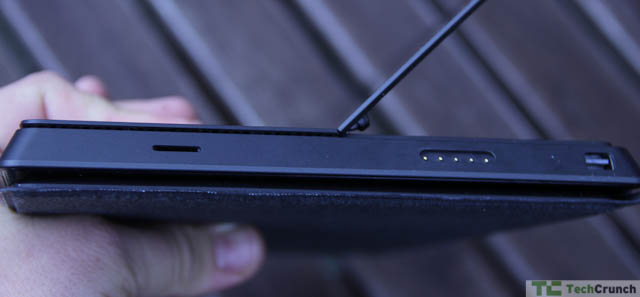
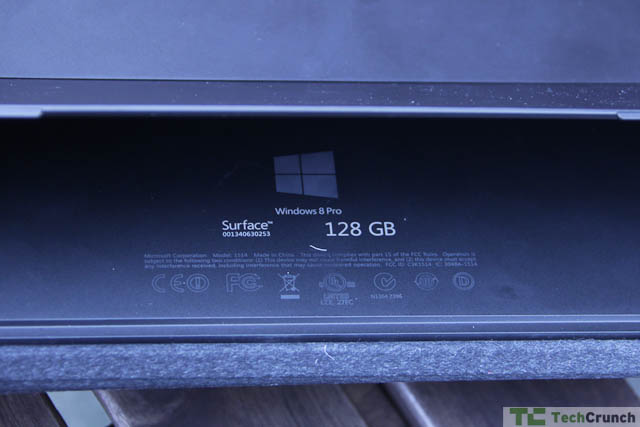
The system runs an Intel dual-core 1.7GHz Core i5 chip and comes with 64 or 128 GB of storage (although, as mentioned all over the web, the 64 GB has only 23 GB available and the 128 GB model has only 83 GB available. The rest is taken up by system files.) It has a microSD slot on the right side, one USB 3.0 port, a mini DisplayPort, and a headphone jack. It uses a magnetic charging system that snaps, with some degree of difficulty, into a little slot on the side. It has 4GB of memory and a 1920×180 pixel 203ppi screen with 16:9 aspect ratio.
The device also uses a Wacom digitizer and is compatible with Wacom pens. This is a boon for artists and designers as it means you have varying levels of pressure available when drawing on screen. You can also use the pen to control the on-screen interface, although I far prefer a mouse or, barring that, a finger on the touchscreen.
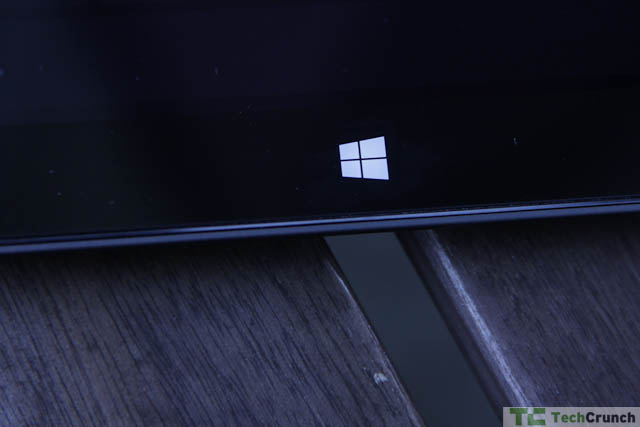
Everything that people loved/hated about the RT is here: the loudly clicking magnets that hold in the power adapter and keyboard, the kickstand that hides itself away when not in use, and the glossy screen with touch-sensitive bezel. The kickstand alone is worth a few hours of Mac-lover ridicule or Windows-lover bemusement. Kickstands are for mid- to high-tier Android phones, not tablets, they’ll say as they attach cases that fold into kickstands to their iPads and Galaxy Tabs. I personally found the kickstand to be very useful when the Surface is in laptop mode although the lack of angle control is limiting. In short, the kickstand is a cool idea and integral to the Surface experience even if it does increase the overall footprint by two inches.
In terms of usability I had no trouble learning the vagaries of Windows 8 on this device or actually enjoying the experience. That’s right: I liked Windows 8 on this for the simple reason that the balance between Classic and Touch UIs (which is what I’ll call Metro here) was easy to understand. This balance doesn’t help Microsoft convince us to use Touch more – you still tend to land in classic mode more often than not – but it does make Windows 8 far more usable.
Plenty of ink has been spilled by those complaining about Windows 8 and the Touch UI. While I would be loath to hand this device to a novice Windows user, once you get a hang of the new interface it’s quite simple. Much of the Start menu functionality ends up in the “tiles” Touch interface while the search button makes it easy to find and run apps. As more apps use the interface I think the Classic mode will be phased out. Until then, you’re sort of stuck in UI limbo.
That said, how does this device fare as a computing/content creation platform?It's A Laptop!
’ve been using the Pro as my primary laptop for the past week and even traveled with it. As a Mac snob this is a fairly unique turn of events. Usually I would test a laptop for a few days and revert back to my MacBook.

scaledwm.IMG_1659
scaledwm.IMG_1657
scaledwm.IMG_1658


As a laptop it is excellent. I was able to do nearly everything I needed to do including the editing of large documents, photo management, blogging, some minor gaming, and plenty of email and web browsing. I did run into some trouble while trying to play Civilization V. The game froze for a while and then launched in “touch” mode, thereafter sitting underneath the task bar where various features were hidden from my mouse. Amnesia didn’t run at all out of Steam. However, Microsoft did show proof that games like Far Cry played on the Surface. It’s hard to fault the company for third-party titles when nearly every other app ran just fine on the platform. Even Minecraft, that paragon of high-performance gaming, ran beautifully. Many of the issues are associated with running a keyboard and mouse-based title with a touchscreen device and should be remedied over time.
No, It's A Tablet!


In terms of media features, much of that has been addressed in reviews of the RT and Windows 8. I was pleased to note that the screen resolution was excellent – 1920×1080 is nothing to sneeze at – and Microsoft’s “ClearType” display is very nearly on par with Retina screens, at least at first blush. There are definite pixels visible on this screen but on the whole the display is bright, eminently readable, and offers excellent contrast. Reading on this screen, for example, is a pleasure and casual games like Angry Birds work just as they would on a similarly outfitted tablet.
The Pro has two 720p cameras, a front-facing one for web chat and a rear-facing for taking in the world. Neither are particularly amazing but they are useful for web chats, etc.
Back Camera
Media playback is excellent and barring some codec problems with some of the video I played on it, the Surface Pro handled video amiably. I was able to see about five hours of video playback in Battery Saver mode which was just enough for a trip to San Francisco from New York. I set the Surface up against the back of the seat in front of me, hid away the keyboard and mouse, and used it just as I would normally use my iPad.
To be clear this solution is not absolutely ideal. Once you take off the keyboard and mouse, the Surface Pro becomes less interesting. Most major games are difficult or impossible to play without alternate input systems and apps like Windows are marginally useful. This is far from a deal-breaker, obviously, because the two use cases are so disparate and having the option of turning the Surface into a tablet or an ultralight laptop is the main benefit of the form factor.
Is this the ideal tablet? No. However, as an amalgam of workhorse and media consumption device it is one of the best I’ve seen. Even convertible laptops are far bulkier and fare worse. The Lenovo Yoga, for example, was a solid touchscreen laptop with some tablet features but its bulk was a bit too much to handle on the road. This device, on the other hand, is Windows condensed. It offers an excellent form factor and the fact that solid performance is a click away is compelling.
Price
The Pro costs $899 for the 64GB model and $999 for the 128GB model, a pricing scheme that tells you a lot about how much solid state memory is worth these days. It’s clear that these price points will aim the users to the roomier model. This price includes a Surface pen.
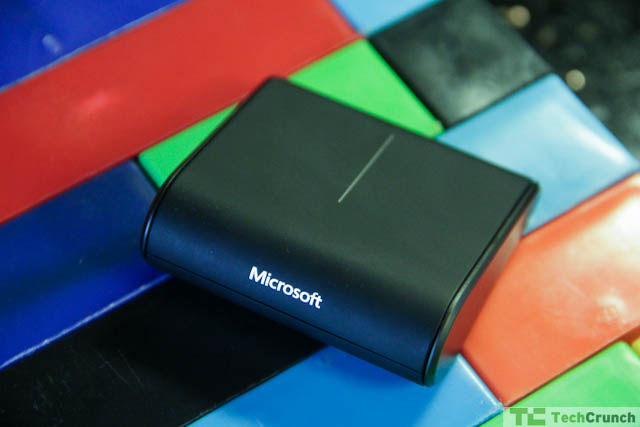
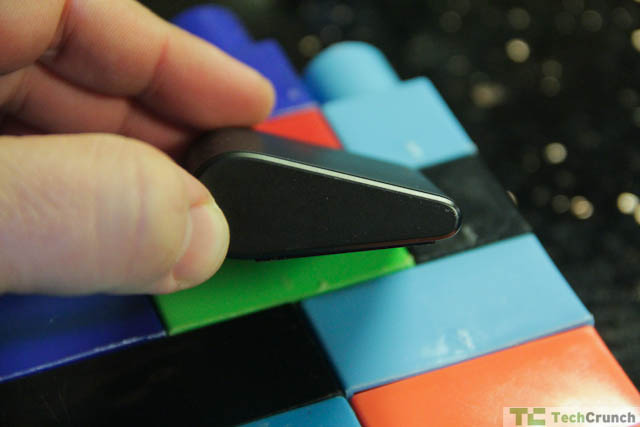
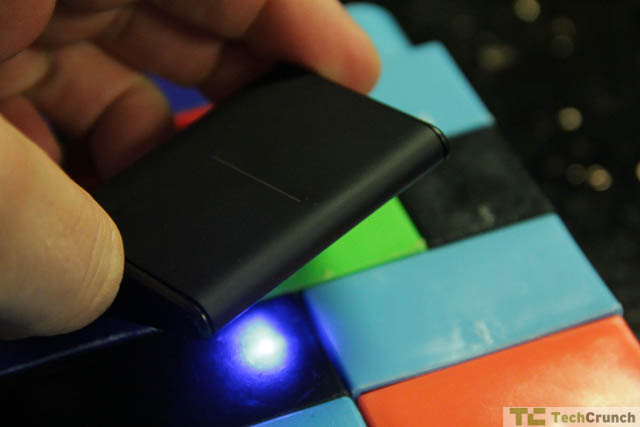
Microsoft is also selling a $70 “wedge” mouse that is little more than a wedge of plastic and two buttons. I’ve been using it extensively and it’s been quite a lifesaver while mousing around in classic Windows.
scaledwm.IMG_1644
scaledwm.IMG_1645
scaledwm.IMG_1646
At $1,000, you’re paying about as much as you’d pay for a MacBook Air or a more powerful Windows laptop. Is this premium worth the investment? I’d say that it ultimately depends on how you intend to use this system. If it’s a laptop replacement as in something you carry on trips or to meetings, then yes. This is a stable and solid machine and will turn heads when you open it up.
As a tablet, on the other hand, I’d say that you’re probably better off looking elsewhere. Given that most Windows tablets are hovering around $1,000anyway, it’s probably not the best time to pick up a Win8 model (unless it’s the Surface.) Manufacturers will begin the race to the bottom soon enough and the $600 Win8 tablet isn’t too far off.
The $899/$999 prices are a signal: Microsoft wants you to buy the 128GB model. Much ado has been made of the fact that you really only get 82GB but I don’t recall folks complaining when their laptops came full of Windows system files and bloatware. This device comes, out of the box, ready to rock. Apps aren’t that expensive or particularly big and barring the handling of huge files, you’re not going to run out of storage immediately. Will you run out eventually? Absolutely, but presumably you can stick some of your files on a microSD card and carry that around as well. It’s a trade-off, obviously.
Good News
Now for some of the bad news. There’s not much I can complain about but the stuff that I did notice is definitely annoying. The type cover and inputs are flawed. The touchpad on the type cover is woefully small and the connection between the keyboard and the device is often wonky, disconnecting at odd intervals. The touchscreen interface, while excellent in Touch mode, is difficult to manage in Classic mode. This problem is intermittent and didn’t get in the way of solid hours of usage over the past few weeks. I won’t pretend that these aren’t real problems (for example: “I’m writing this without hitting some keys again, resulting in huend up words.”) That muddled word is “mashed.”
scaledwm.IMG_1660It seems that this problem is related to the stability of the surface on which the device and keyboard are sitting. On an airline tray, for example, the problem is horrible. On a solid kitchen table the whole thing works perfectly.
To solve this I’ve taken to keeping the device on a desk and using the wedge mouse as a pointer. I’ll raise my hand occasionally to use Touch mode, but I’m mostly using the Classic experience because most of the apps I use are trapped in that Forbidden Zone of “old” Windows.
The hardware can run hot – there’s a real Intel chip in there – and it stays hot for some odd reason even after being shut down. This behavior reduced a full battery from 100% to about 80% overnight, which wasn’t pleasant. Leaving it “open,” namely with kickstand up and keyboard attached without pressing the power button, made the device run down in about four hours of non-use. Obviously this is a question of settings but you expect this thing to work like a tablet, not a laptop.
Battery life in Balanced mode is about 3 hours and about 5 hours in Power Saver mode. This is enough to watch a few movies on a flight but not quite the five hours I’d like to see out of a device of this size. Power Saver mode can improve that battery life by about an hour.
For $1,000, Microsoft could have put a longer power cord on this thing. The cable is about four feet long and the actual power cable – the side that goes into the wall – is shy of two feet.
But that’s the trade-off: RT gives you tablet features by cutting your options and Pro gives you PC features by chewing up the battery. The first company to meld the two, in my mind, wins this battle.
Bottom Line
Given the value of the Surface Pro to Microsoft’s brand, it’s easy to see why the company opened their Surface kiosks this holiday. I read the reports of cheery salespeople flogging Surface RT with plastic smiles and an obsession verging on evangelical with a grin of Schadenfreude. Now I understand what happened: they were selling the wrong Surface. Those ham-handed sales pitches should have been saved for this model Surface. The RT, as exciting as it seemed at the time, is clearly the runt of the Surface litter. While the OS X/iOS vision Apple put forth worked for their mobile devices, Win8 without an Intel chip, at this point, offers a truncated expression of this platform’s power.
The joke going around the pro-Surface RT crowd a few months back was that nobody wanted to run a 1998 copy of Peachtree Accounting on their sassy new Surface. I would argue that they are dead wrong. Without the benefit of a solid base of apps – or at least the perception of a large collection of useful apps and potentially a larger collection of garbage apps – a device that runs only Win8 and is not backwards compatible will alienate a Microsoft’s large base.
To those who snicker at Win8 in general I will say this: this is the direction in which Microsoft is going, and to deride it is tantamount to hindering progress. To use a musical analogy, those who wish that Jamiroquai would return to the glory of Virtual Insanity will be gravely disappointed and the only way forward for a fan of Jay Kay or Em Ess is to accept that change is inevitable.
I’m not a constant or dedicated Windows user, yet I am very excited about the Pro. It is Microsoft at its best – a pure expression of some computing solution that is more akin, say, to the Xbox 360 than the Dell Adamo. This is not a laptop that looks weird being sold at a premium. Instead it is a hybrid device that works surprisingly well as both a laptop and a tablet. There are obviously trade-offs, but the simplicity of form, the excellent design, and the promising OS make the Surface Pro a real treat – and threat to other manufacturers.


Silicon Valley job growth has reached dot-com boom levels


MOUNTAIN VIEW -- Silicon Valley's job growth has returned to dot-com boom levels and San Francisco has emerged as a major new tech hub. But good times have not returned for all area residents and ethnic groups.
Those are among the findings released Tuesday from the 2013 Silicon Valley Index, a closely watched annual study produced by San Jose-based Joint Venture Silicon Valley and the Mountain View-based Silicon Valley Community Foundation.
"Employment growth in Silicon Valley is impressive, very impressive," said Russell Hancock, president of Joint Venture Silicon Valley. "Some might even say the job growth is cause for euphoria."
Last year, the nine-county Bay Area added about 92,000 jobs, according
Tim Williamson writes code during a boot camp session at Facebook headquarters in Menlo Park on March 12, 2012. (Patrick Tehan/Staff file)
to the study. Of that total, Silicon Valley -- defined as Santa Clara and San Mateo counties -- accounted for 46 percent, or 42,000 jobs.
"This is prodigious job creation," Hancock said. "The growth is crazy and it's getting crazier."
Both he and Stephen Levy, director of the Palo Alto-based Center for Continuing Study of the California Economy and an adviser for the report, said Santa Clara County now is above its job totals of the dot-com boom.
Recent Bay Area job growth goes well beyond social media, software, the Internet and other technology industries, showing that the recession is clearly over for the region.
"The tech phenomenon is rippling into other categories," Hancock said. Construction is one of the


as a prominent contributor to what is known as Silicon Valley.
"For a long time we thought of San Francisco as an old-line town -- banking, legal, retail, real estate," Hancock said. "Now it's tech, software, media, social networks, the Web."
And that means the definition of Silicon Valley is expanding, the researchers said.
"We have two very dynamic entities, San Jose and San Francisco," said Doug Henton, CEO of San Mateo-based Collaborative Economics, which did the primary research for the Silicon Valley Index. "They are very complementary to each other."
During 2012, Santa Clara and San Mateo counties increased their combined job totals by 3.6 percent, while San Francisco grew its job totals by 3.7 percent.
Emmett Carson, CEO of Silicon Valley Community Foundation, said San Jose and San Francisco "are becoming the bookends with many tech companies in between."
Despite the sturdy job gains, the report found that the upswing in employment and wages has not benefited Bay Area residents equitably.
"Income growth in Silicon Valley is uneven," it said. "The gap between
Employees work at Twitter headquarters in San Francisco on Aug 2, 2012. (John Green/Staff file)
high and low income earners is increasing."
What's more, certain ethnic groups appear to have been left behind by Silicon Valley's current surge in hiring and rising wages.
Between 2009 and 2011, per capita income levels increased for whites, Asians and certain other groups. But blacks and Latinos suffered financial erosion. Income levels fell 18 percent among African-Americans and by 5 percent among Latinos, according to the report, but it offered no explanation for the declines.
"Silicon Valley is two valleys," Hancock said. "There is a valley of haves, and a valley of have-nots."

Why Humility is Essential for Every New Hire


When interviewing product managers at Google, we ranked candidates on four metrics: technical ability, communication skills, intellect and Googliness. A Googley person embodies the values of the company - a willingness to help others, an upbeat attitude, a passion for the company, and the most important, humility.
In the past week, I asked two heads of engineering to identify the most important characteristic in new hires. Both responded, "humility". For one startup ascertaining humility is so important, it is the first filter in the interview process.
Disruptive companies reinvent. They don't copy and execute someone else's playbook. To be disruptive, a startup's team must cast aside preconceived notions and assumptions about doing things the "right way" and start inventing new ways.
The more time I spend in venture capital working with startups, the better I understand that there are no templates or stencils or best practices. Each startup team faces a unique market opportunity with distinct market dynamics, sales processes, competitive forces, assets and challenges.
In such circumstances, the best expeditionary force keeps open minds about the way forward. They learn from each other and the market. The first step to learning is accepting we don't know everything.


Microsoft’s 128GB Surface Pro Sells Out At MS Online Store Just Hours After Launch

surfaceproleft


Microsoft’s $999 128GB Surface Pro has sold out in the online Microsoft Store in the U.S. (viaWinBeta), just a few hours after going on sale today, February 9. The 64GB version is still available as of this writing, and the Surface Pro is still likely in stock at physical retail locations like Best Buy, where it also went on sale today, although checking the stock levels via their online tool reports the Surface Pro as “Unavailable” across the board.
The Surface Pro is Microsoft’s more powerful, Intel-powered Windows 8 tablet, which runs the full version of Windows 8 unlike the Surface RT and can handle full-fledged Windows desktop applications. In the TC review, John Biggs said that the Pro was a much more compelling device than the RT, in part because of its ability to run software that enterprise IT departments depend upon from legacy windows installations.
The Surface RT sold out of the $500 32GB model within one day, but the Pro’s more expensive model has sold out even faster. That could indicate that users are placing a higher value on storage with the Pro, which is marketed as a device much more suited to getting serious work done than the Surface RT. The 64GB model remains in stock for now, and given that there’s only a $100 price difference to trade up to double the storage capacity with the 128GB version, that’s not surprising.
Storage was recently the subject of a number of back-and-forth reports regarding the Surface, with some claiming Microsoft left little room on-device for personal files once you accounted for the Windows 8 OS install. Ed Bott reported earlier today on the actual storage numbers, which beat the original estimates by a fair amount, but the free space on the 64GB version still represents a 200 percent increase from the actual usable space on the base Surface Pro model.
The 128GB Surface Pro is still available to order from the Microsoft Store online in Canada as of this publication date, and you may still be able to grab one by visiting a physical retail location.


Sunday, 10 February 2013

Vegas makes me want to give away stuff.


I’ve been getting a lot of questions regarding signings and if I’ll have the paperback for HOPELESS.  I have a few of the self-published versions that I’ve set aside for Orlando in February and Boston in March and should have the published versions at signings after that.  But for the rest of you who either aren’t coming to the signings or don’t want to spend $15 for the books there, I have great news!  Atria’s paperback version of HOPELESS will be out in a little over two months, but it’s available for pre-order now.
And the even better news is that it’s on sale for $8.61 from $15 right now.  And if you order it now, you’ll receive it on the day of release.  So go get your copy today here.
And the even better, better news is that I’m not spending too much money here in Vegas so I have just enough left for an e-reader giveaway.  Just share the link for this blog and comment with where you shared it and I’ll pick a winner on Monday, along with the five winners of signed books from comments on this blog post.  
Okay, back to the casino.  ;)